



A Melbourne accounting firm changed offices on Monday. By Thursday, its old address was still on every service page because the office manager had only an editor login. The developer who built the site had stopped replying, and the domain renewal account pointed to a former director's inbox. The website was online and looked respectable, but nobody at the firm could safely run it.
Inherited websites fail at the handover points before they fail on screen. Missing administrator control, overloaded code, broken URL history and absent measurement can turn a routine update into a recovery job. A redesign should start by securing control and preserving evidence, not changing colours.
Once another team takes responsibility, the unseen parts surface fast.

A login is not the same as control. WordPress, for example, gives an Editor permission to publish and manage content, while an Administrator can manage the wider site settings, plugins, themes and accounts. A business may therefore be able to change a paragraph but still be unable to install an update, add a new administrator or export the site.
The content management system is only one account. The domain name, hosting, DNS records, email service, backups and paid software may all sit elsewhere. A password reset helps only when it reaches an inbox the business controls. If the registrar account belongs to an old agency address or a former staff member, the website can be live while the business remains one renewal notice away from a much larger problem.
For a .au domain, the authorisation code used for a registrar transfer is sent to the registrant contact email recorded for the domain. That makes the contact record more important than the logo on the registrar invoice. The first takeover task is to map who controls each account, then move business-critical access into business-controlled names and email addresses.
The full ownership question goes further than a redesign brief. It covers the domain, hosting, website files, content and email. That deserves its own handover record, but the immediate test is simple: can the business name an account owner and recovery path for every system keeping the site online?
The hardest site to inherit is not always the oldest. It is the one with no record of why anything was built. A theme may sit under a page builder, which sits under years of plugins, custom snippets and one-off fixes. Removing one piece can break another, so even a small change becomes slow and risky.
Page builders and plugins are not faults by themselves. A supported theme, one clear editing system and a modest plugin list can run well for years. The trouble starts when several tools perform the same job, old functions remain loaded after they are no longer used, or a custom fix has no notes explaining what it touches.
Chrome's Lighthouse audit flags unused JavaScript because the browser still has to download and process code that a page may not need. Google also uses Core Web Vitals, which measure loading, responsiveness and visual stability, within its ranking systems. Those measures are not a shortcut to the top of search results, but they give a useful warning when the build is making visitors wait or fight the page.
An inherited-site review should separate weight from value. The aim is not to delete every plugin or chase a perfect performance score. It is to find duplicate systems, abandoned tools and fragile custom work before a redesign carries them into a new build.
The hardest website to inherit is not the oldest. It is the one with no record of why anything was built.
A past redesign can leave damage that is invisible from the home page. The old site may have used clear service URLs that had earned links and search history. If the new build changed those addresses without permanent redirects, Google and visitors are sent to missing pages instead of the replacement content.
A permanent redirect tells a browser and Google that an old page has moved to a new address. Google advises mapping old URLs to their new locations during a site move, rather than sending every retired page to the home page. The map matters because each old address may carry a different purpose, set of links and place in the site structure.
The missing work often appears months later. A service page that once brought enquiries has vanished from search, but nobody kept the old sitemap, redirect list or Search Console records. By then the new design has settled in and the loss looks like a marketing problem, even though it began as a handover failure.
Before another rebuild, collect the current URL list, top landing pages, external links, redirect rules and pages returning errors. Preserve what still earns attention. The detailed migration work belongs in a proper rebuild plan, not in the final hour before launch.
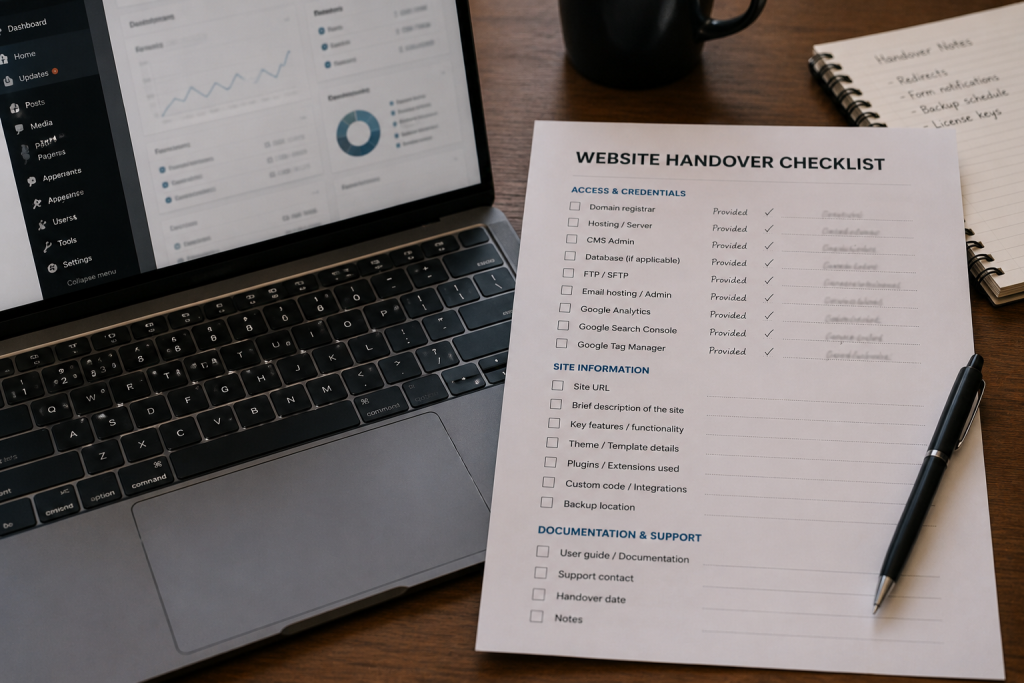
A website can carry a tracking tag without giving the business useful evidence. The Analytics property may belong to a developer's account, Search Console may have only one outside owner, or enquiry forms may never have been tested as measurable actions. The dashboard exists, but the business cannot rely on it.
Google Analytics separates account and property access, with administrators able to add or remove people at each level. Search Console also distinguishes owners from other users, and a property must retain at least one verified owner. During a takeover, access should be checked before any account is removed. Deleting the only route to ownership creates a new problem while trying to fix the old one.
Measurement also needs a purpose. Page views alone cannot show whether the website produces calls, forms, bookings or sales. A redesign decision made without clean data tends to favour the most visible complaint, such as dated colours, while missing the page that still brings valuable work.
No historic data can be invented after the event. When access is missing, recover what exists, record the gap and set a clean baseline. The first reliable month after takeover is more useful than a year of numbers nobody can explain.
The visible symptom rarely names the underlying fault. A slow page can come from oversized images, unused scripts, weak hosting or several systems loading the same function. A missing enquiry can be a broken form, an email record problem or a tracking failure. The first check should narrow the cause before anyone quotes a rebuild.
| Visible symptom | Possible inherited problem | First check |
|---|---|---|
| The business cannot update key details | Editor-only access or accounts held by former staff or suppliers | MS role, registrar, hosting and recovery email |
| Small changes take too long or break other pages | Stacked builders, duplicate plugins or undocumented custom code | Theme, plugin, script and custom-code inventory |
| Traffic fell after an earlier rebuild | Changed URLs with missing or broad redirects | Old sitemap, redirect rules, Search Console and error pages |
| Reports exist but nobody trusts them | Analytics or Search Console access is missing, shared or incomplete | Account ownership, property access and measured actions |
Not every inherited website needs to be rebuilt. If the platform is supported, the page structure still fits the business and the technical problems can be isolated, a repair or focused refresh may preserve good work at a lower cost. Rebuilding a sound site because it is unfamiliar wastes money and creates a fresh migration risk.
A redesign earns its cost when the structure blocks the business, the platform can no longer be maintained, the editing system is too fragile for ordinary work, or several deep faults must be fixed together. The decision should follow the audit. It should not be made from the age of the design or a single speed score.
The same restraint applies to content. An old page may look dated but still answer an important question and earn strong links. Its useful information can be rewritten or moved, but deleting it without checking its role discards evidence the new site needs.
A clear decision framework separates appearance, content, structure and platform. That makes it possible to refresh what is dated, repair what is broken and rebuild only what cannot support the next stage of the business.
The order matters. Design work should begin only after the business knows what it controls, what still works and what must be preserved. A practical takeover sequence is short enough to understand but detailed enough to stop a cosmetic brief from hiding a technical recovery job.
The next handover should be planned at the same time. Staff change, agencies change and software changes. A finished redesign should leave the business with its own administrator access, a current account register, a redirect map, measurement ownership and notes on any custom work. That record is part of the website, even though customers never see it.
CJ Digital can start with a takeover audit of the access, structure, redirects and measurement before pricing a repair or rebuild. Bring the current logins, the last hosting or domain invoice, and any old reports you can find, then use the contact form to book the review. That is enough to begin separating a website problem from a handover problem.
Yes. Another developer can usually take over when the platform, hosting and domain are accessible. Closed platforms, missing source files or undocumented custom systems can limit what can be moved, so the first step is an access and platform check.
Administrator access is needed for full control of a standard single-site WordPress installation. An Editor can manage content but cannot perform many site-wide tasks such as managing plugins, themes and other accounts.
A website can usually be moved with limited search disruption when important URLs, content and redirects are planned and monitored. No provider can guarantee unchanged rankings, but a mapped migration is much safer than replacing the site without preserving its URL history.
Start with the accounts the business can prove it controls. Check the domain registrant record, hosting invoices, business email and existing administrator accounts. The recovery path depends on the platform and contracts, so document each successful recovery before removing old access.
Test the pages that matter on a real phone and use PageSpeed Insights or Lighthouse as diagnostic tools. A single score is not the verdict. Look for repeated problems such as heavy scripts, slow server response, large images and delayed interaction.
No. Recover measurement access before rebuilding where possible. Current landing pages, search queries, errors and enquiry data help show what should be preserved, repaired or removed.