





Web design for a Burwood business starts by saying which Burwood. The Victorian one sits in Melbourne’s east, with Burwood Highway running out through it. The council puts the Tally Ho activity centre further along, around the highway and Springvale Road in Burwood East. The other well known one is in Sydney’s Inner West. A website that prints a suburb name and little else settles none of that. It leaves the state, the street and the way in for the reader to guess. State the business’s base, service area and visitor entrance separately.
An office enquiry and a first visit can both depend on those details. An employer comparing suppliers needs the right business and service area. A customer who has seen the frontage may still need to find the entrance. Neither problem automatically calls for a redesign.

Keep three location facts distinct:
A page that gives only the suburb name relies on the reader knowing the rest. Someone arriving from a shared link or search result may lack that context. The page should identify the place without requiring the visitor to reconstruct it from elsewhere.
The New South Wales government places the other locality in Sydney’s Inner West. Naming the state removes that possible ambiguity. It does not establish that search results mix the two places or that customers have contacted the wrong business.
So write the state in text, not only inside a map image or a logo. For visitable premises, put the full street address on the contact page and in a consistent footer. Then say in a plain sentence which areas the business covers. Keep those statements consistent wherever the site repeats them.

An office-park buyer is someone enquiring on behalf of an employer rather than for themselves. Their job is to work out whether this business can do the work, and whether it will be simple to deal with.
The council calls the business park in that activity centre a key office and technology hub in Melbourne’s eastern suburbs. It records a business and health area to the north of the highway. It also adopted a structure plan for the centre in October 2025. That plan sets out a long change away from a car-based business park, so it describes work still to come. None of it should be published as though it were finished.
That office setting makes an employer’s enquiry a useful example; it does not identify every website visitor. Describe the services offered, without adding account terms, purchase orders or supplier onboarding just because a customer might be buying for work.
Give that buyer enough information to establish:
That is a different job from the long read-and-return pattern that customers who research before calling put a site through. A separate piece covers that audience.
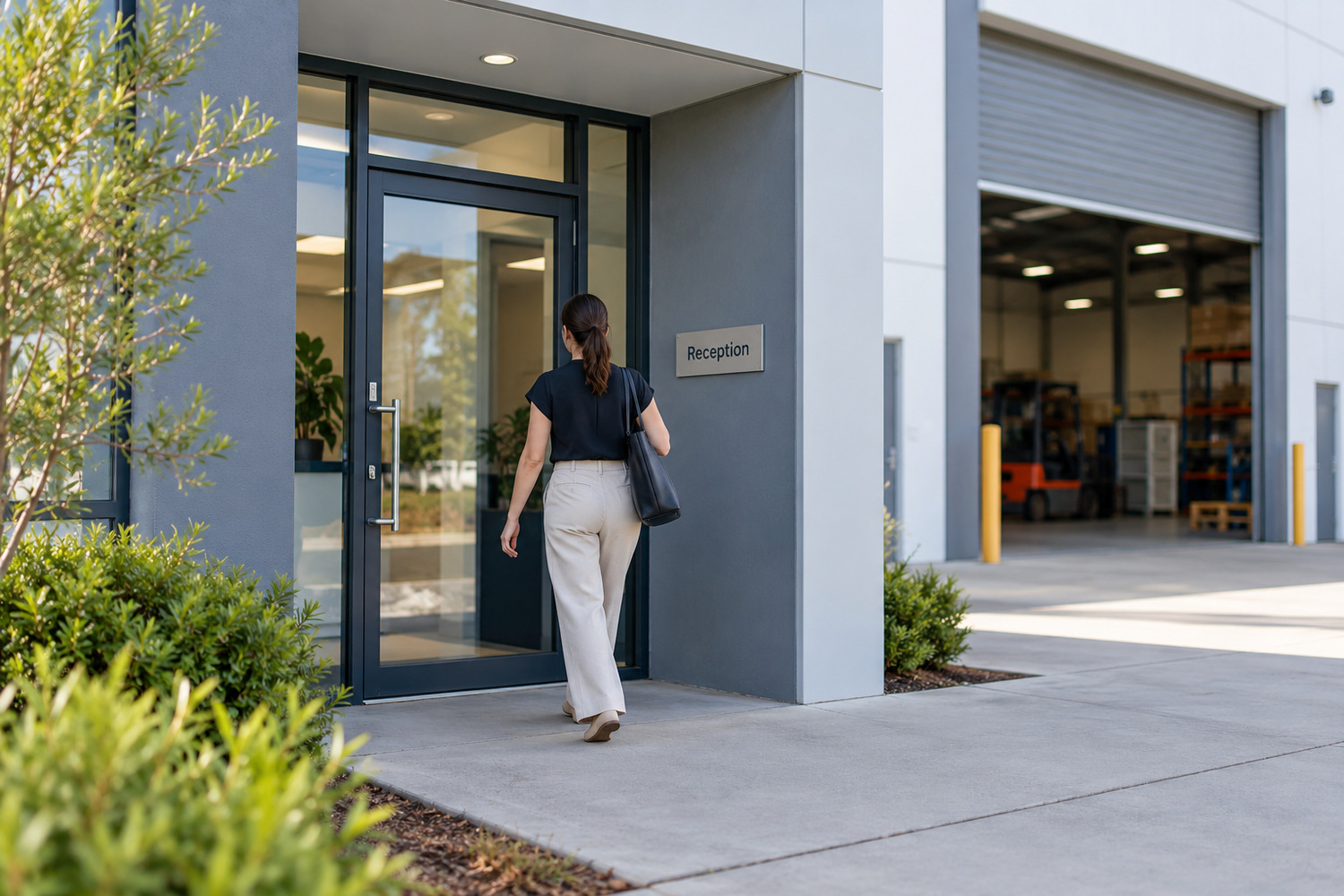
Road frontage is advertising. It tells a driver that a business exists. It does not tell them how to get in, or what to do once they have.
Take a made-up example. A vehicle service business sits on the main road, its name across the parapet, in view of passing traffic. Its website shows a photo of that frontage and a map pin. A first-time customer still cannot tell three things. Whether the driveway is on the main road or the side street. Whether the yard is shared with the units next door. Which door is reception.
Those missing details do not automatically require a redesign. Check the current entrance and reception arrangements, then describe them on the page.
So write what is true, and only what is true. Name the street the entrance is on. Say whether that entrance is shared, and whose signage a visitor should look for. Say what happens in the first minute, whether that is a reception desk, a buzzer or someone in the workshop. If parking is not in the control of the business, say nothing about parking rather than promising it.
Two things are better left out. Do not invent a route or turning instruction; any published directions need to stay accurate. Do not claim how long a driver spends deciding, because nobody has measured that for your customers.
A page that gets this right runs a few sentences longer than one that does not. Those extra sentences carry facts, not decoration.

One accurate identity can serve both readers. An office buyer may be checking service coverage; a visitor may need the entrance. Keep the common business details consistent while making each relevant fact easy to find.
A service area says where a business will travel. It is not evidence of a staffed office in every suburb it names. Do not use a list of suburbs to imply branches that do not exist. The honest version is a single sentence. Based here, working across there.
The pin position alone cannot explain the visitor arrangements. Check that the page also states the relevant entrance, opening hours and any need to arrange a visit. Information inside a map panel should agree with the surrounding text.
One contact block can name the state, the street and the area covered, with entrance details where visits are offered. An office enquiry and a visitor can use the same facts without being sent to separate versions of the business.
Which areas a business should claim at all is a separate question, and the piece on serving neighbouring suburbs takes that one up.
The test for this section is short. Could a reader take down the address, the area covered and the way in from one page, without ringing to check?

Start with the sentence that names a place and settles nothing.
Here is a made-up before and after. The before is a contact page reading “servicing the local area and surrounds”. Under it sit a phone number, a form and a map embed. Nothing on the page names the state in text. The street address appears only inside the map image. The business sits behind a shared driveway, and the page never mentions it.
The after is the same page, a few sentences longer. It names the state and the locality in words, and gives the full street address as text. It says which street the driveway is on, and that the driveway is shared with two other businesses. It names the areas the business travels to. It says plainly where work happens when it is not done on site.
That correction can often be made in the existing layout. Check each detail against the current premises and service arrangements before adding it.
So read your own site this week with one question in mind. What is the first sentence on it that names a place without saying which state, which street or which door? That sentence is your brief.
Correct that missing information before treating it as a reason for a redesign. The council’s plan describes future precinct change, so check the wording again if that change affects your entrance or premises. Being able to make a small correction yourself can help keep it current. CJ Digital’s website design page describes an owner-editable build.
Put the relevant address in the contact page and a consistent footer where appropriate. Check that the footer appears on service pages too: someone arriving there from search may not open the contact page.
A map can show the location, but may not explain the correct entrance or visitor arrangements. Add the relevant facts in text beside it, including a shared entrance or reception instructions where they apply.
State that there are no customer-facing premises, if that is the position. Explain whether work happens at the customer’s place or visits can be arranged elsewhere. Do not imply an open counter where none exists.